RealTimeQuery online help

Assistants
Working Area
Menus
Properties
Common Properties
  IP Blocker
Operator Properties
Server Properties
Routers configuration
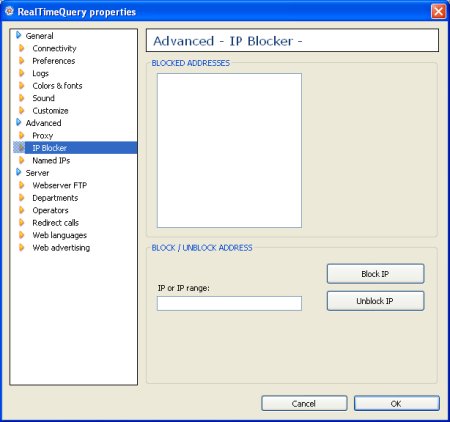
Properties > Advanced > IP Blocker


The IP Blocker dialog able you to automatically reject connections by its IP or IP range.

Blocked addresses
This list shows the current blocked IP's or IP ranges.

IP or IP range
Enter the IP or IP range you wish to automatically reject.

Block
Click this button to add the entered IP in the list of blocked addresses.

Unblock
Click this button to delete the enterd IP from the list of blocked addresses.


Live help for websites


Association of Shareware Professionals

Association of Independent Software Industry Professionals

Organization of Independent Software Vendors


Valid HTML 4.01 Strict

Home| Download| Purchase| Contact| Features| Screenshots| Videos| Distributors| Faq| Testimonials| Awards| Press| About| Online help
Copyright © 2005-2008 Spanto Soft sl. All rights reserved.