RealTimeQuery online help
|
Working Area > Tracking Website Visitors
If someone visits your website while you are working on another program a popup window like this will appear on the right-botton corner of the screen: 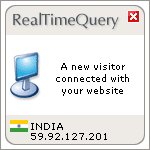
A new visitor connected with your website Click on the window to open RealTimeQuery and get more information about the visitor, the visitor's tracker list shows something like this:   By doing right-click on a visitor the following option appears: 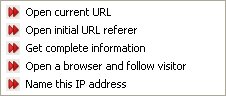 Open current URL This option opens a web browser and connects to the web page your visitor is seeing. Open initial URL referer This option opens a web browser and connects to the web page where your visitor comes from. Get complete information This option shows all the information about the visitor. Open a browser and follow visitor This option opens a web browser and follows the visitor in realtime. Name this IP address Use this option to asign a name to an IP address. |
