RealTimeQuery online help

Assistants
Working Area
  Receiving a Call
Menus
Properties
Common Properties
Operator Properties
Server Properties
Routers configuration
Working Area > Receiving a Call

If you receive a call while working on another program a popup window like this will appear on the right-botton corner of the screen:
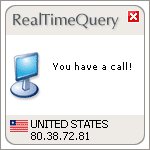

You have a call!!
Click on the window to open RealTimeQuery and answer the call, the program shows a window like this.
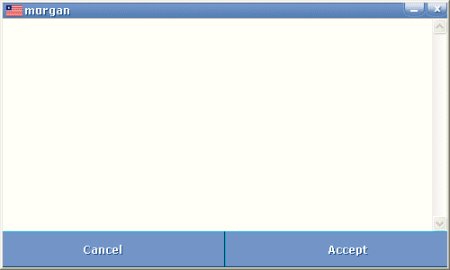


Cancel
Click the 'Cancel' button to reject the call, the caller will receive an apologize message

Accept
Click the 'Accept' button to start chating with the caller.


Live help for websites


Association of Shareware Professionals

Association of Independent Software Industry Professionals

Organization of Independent Software Vendors


Valid HTML 4.01 Strict

Home| Download| Purchase| Contact| Features| Screenshots| Videos| Distributors| Faq| Testimonials| Awards| Press| About| Online help
Copyright © 2005-2008 Spanto Soft sl. All rights reserved.